Fill PDF Forms in the Web Browser
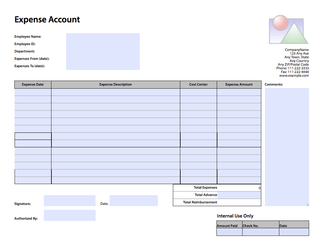
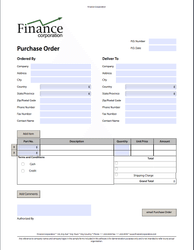
FormVu is an SDK for converting PDF Form files into standalone HTML with interactive form components.
PDF forms have limited and inconsistent support across browsers. FormVu converts them to HTML once, server-side. Your existing forms keep working across every browser, with no plugins and no rebuilding from scratch. Runs entirely on your own servers; form data never leaves your infrastructure.
FormVu allows you to...
How to convert PDF Forms to HTML
FormVu supports AcroForm and XFA form types and offers various ways to run the software. Here are some (but not all) of the common methods you can use to try it out:
HTMLConversionOptions conversionOptions = new HTMLConversionOptions();
// Set conversion options here e.g. conversionOptions.setImageScale(1.2f);

FormViewerOptions viewerOptions = new FormViewerOptions();
// Set FormViewer options here e.g. viewerOptions.setEnableFDFJavaScript(true);

File input = new File("C:/MyDocument.pdf");
File output = new File("C:/MyOutputDirectory/");

PDFtoHTML5Converter converter = new PDFtoHTML5Converter(input, output, conversionOptions, viewerOptions);

try {
    converter.convert();
} catch (PdfException e) {
    e.printStackTrace();
}
java -Xmx512M -jar formvu.jar /inputDirectory/ /outputDirectory/
# Or add in custom settings to adjust the output to your preference
java -Dorg.jpedal.pdf2html.exampleSettingOne=<value> -Dorg.jpedal.pdf2html.exampleSettingTwo=<value> -Xmx512M -jar formvu.jar /inputDirectory/ /outputDirectory/<?php
// PHP is one of the many languages we support for the web service. Check our support pages to see the full extent
require_once __DIR__ . "/PATH/TO/vendor/autoload.php";
use IDRsolutions\IDRCloudClient;
$endpoint = "https://cloud.idrsolutions.com/cloud/" . IDRCloudClient::INPUT_FORMVU;
$parameters = array(
//'token' => 'Token', // Required only when connecting to the IDRsolutions trial and cloud subscription service
'input' => IDRCloudClient::INPUT_UPLOAD,
'file' => __DIR__ . 'path/to/file.pdf'
);
$results = IDRCloudClient::convert(array(
'endpoint' => $endpoint,
'parameters' => $parameters
));
IDRCloudClient::downloadOutput($results, __DIR__ . '/');
echo $results['downloadUrl'];Data stays on your servers
FormVu runs entirely on your own infrastructure. Form data never leaves your servers, which matters when handling regulated, financial, or confidential documents. Banks, insurers, and government customers depend on this.
Deployment optionsDisplay across browsers
Converted PDF forms work across all modern browsers with no plugins. Appearance and interaction are preserved. Users see the same form they always have.
Browser supportIntegrate into Web Apps
PDF forms slot into existing HTML workflows without rebuilding. Converted forms retain their fields, logic, and submission behaviour.
Learn how to integrateEnhanced data submission
Submit form data as JSON, XML, standard HTML, or back into the original PDF. Choose the format that fits your existing pipeline with no extra transformation steps.
Explore submission optionsProcess filled PDF forms
Extract filled form data as JSON from a pre-filled PDF with a single API call. No manual parsing or re-entry needed.
More about processingFlexible signing
Signature fields are preserved. Users can sign by typing their name, drawing, or uploading an image. No separate e-sign tool required.
See how signing works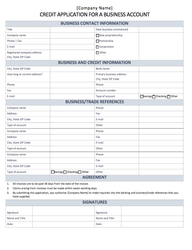
Who is FormVu for?
FormVu can be used by companies across a range of industries that includes publishing, education, finance, aerospace, recruitment, supply chain, government, healthcare, maritime and lots, lots more.
Healthcare
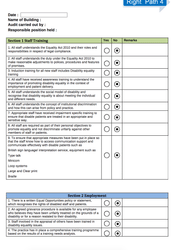
FormVu allows patients and doctors to fill in medical forms on the website so that data can be better organized. E-healthcare platforms can also use these data to give healthcare suggestions.
Read moreLogistics
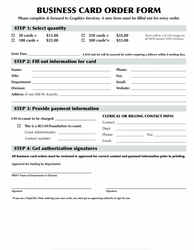
FormVu can help logistics companies with displaying shipping forms, customs declarations, delivery acknowledgments to users on different web browsers while maintaining the forms' look and feel.
Read moreGovernment
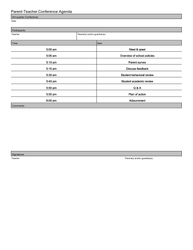
FormVu allows governments to quickly convert legacy forms to HTML forms without redesigning from scratch. HTML forms are easier to integrate into newer workflows due to the better submission support possible with FormVu.
Read moreFrequently asked questions
Who is FormVu for?
FormVu is aimed at developers and organisations that need to use PDF forms in web or mobile applications. It is widely used across healthcare, government, finance, logistics, and education — anywhere that existing PDF form workflows need to move to the browser without being rebuilt from scratch.
Does FormVu convert all PDF files?
FormVu only converts interactive form files. We recommend BuildVu if you are looking for a static PDF conversion.
Why convert PDF Forms to HTML?
Since web browsers have stopped supporting the Adobe Acrobat PDF plugin for security reasons, PDF forms can no longer function in web browsers. Converting them to HTML enables them to continue being used and makes it easy to integrate into new applications that work across mobile, tablet and desktop devices.
Can Forms be edited once converted?
Yes. FormVu converts PDF forms into fully interactive HTML5, so all form fields — text inputs, checkboxes, dropdowns, radio buttons, and signatures — remain editable in the browser. Users can fill, edit, and submit the form just as they would with the original PDF.
What PDF form types does FormVu support?
FormVu supports both AcroForm and XFA (XML Forms Architecture) PDF form types, covering the vast majority of PDF forms in use today.
Can FormVu submit form data as JSON?
Yes. FormVu supports submitting form data as JSON, XML, standard HTML, or PDF. JSON output is structured and ready to ingest directly into APIs, databases, or automation workflows — no extra parsing or transformation needed. This also makes it straightforward to pre-populate forms programmatically from existing data.
Can FormVu run on-premise without sending data externally?
Yes. FormVu can be self-hosted on your own servers with no external callbacks and no internet connection required. Data never leaves your network, making it suitable for GDPR-conscious and secure enterprise deployments.
Does FormVu require browser plugins or Adobe Reader?
No. FormVu converts PDF forms into standalone HTML5, which runs natively in any modern browser without plugins, Adobe Reader, or any additional software on the user’s device.
Can FormVu convert non-interactive PDF documents to HTML?
No. FormVu specifically converts interactive PDF forms (AcroForms and XFA), documents containing fillable fields, checkboxes, drop downs etc. To convert non-interactive PDFs into HTML or SVG, consider BuildVu instead.
Do you support the latest PDF standards?
Yes. We’re active in the PDF Association’s working group and track PDF 2.0 as it’s ratified, including its new Brotli compression option. See our Brotli in PDF guide.