Modernize Government Services with Digital-First Forms
Turn the fillable PDFs your agency already publishes into HTML5 forms that open in any browser, with no download and no Adobe Reader.
Increase Citizen Engagement with Modern E-Government Forms
Citizens struggle with downloading, printing and filling static PDF forms, hindering their ability to easily complete essential government services online.
Manual data extraction from PDF forms is slow and error-prone, causing costly bottlenecks for developers and stalling efficient government data collection.
Convert Fillable PDF Public Service Forms into HTML Forms
FormVu is an SDK for developers to convert fillable PDF forms into HTML forms
HTMLConversionOptions conversionOptions = new HTMLConversionOptions();
// Set conversion options here e.g. conversionOptions.setImageScale(1.2f);

FormViewerOptions viewerOptions = new FormViewerOptions();
// Set FormViewer options here e.g. viewerOptions.setEnableFDFJavaScript(true);

File input = new File("C:/MyDocument.pdf");
File output = new File("C:/MyOutputDirectory/");

PDFtoHTML5Converter converter = new PDFtoHTML5Converter(input, output, conversionOptions, viewerOptions);

try {
    converter.convert();
} catch (PdfException e) {
    e.printStackTrace();
}
java -Xmx512M -jar formvu.jar /inputDirectory/ /outputDirectory/
# Or add in custom settings to adjust the output to your preference
java -Dorg.jpedal.pdf2html.exampleSettingOne=<value> -Dorg.jpedal.pdf2html.exampleSettingTwo=<value> -Xmx512M -jar formvu.jar /inputDirectory/ /outputDirectory/<?php
// PHP is one of the many languages we support for the web service. Check our support pages to see the full extent
require_once __DIR__ . "/PATH/TO/vendor/autoload.php";
use IDRsolutions\IDRCloudClient;
$endpoint = "https://cloud.idrsolutions.com/cloud/" . IDRCloudClient::INPUT_FORMVU;
$parameters = array(
//'token' => 'Token', // Required only when connecting to the IDRsolutions trial and cloud subscription service
'input' => IDRCloudClient::INPUT_UPLOAD,
'file' => __DIR__ . 'path/to/file.pdf'
);
$results = IDRCloudClient::convert(array(
'endpoint' => $endpoint,
'parameters' => $parameters
));
IDRCloudClient::downloadOutput($results, __DIR__ . '/');
echo $results['downloadUrl'];How to Digitize Paper and PDF Forms for a Government Agency
Most agencies already publish their forms as fillable PDFs. You do not have to rebuild those forms by hand in a form builder. FormVu converts the PDF you already have into HTML5, so the fields, layout and field logic come across from the original file.
A typical rollout looks like this:
- Start from the PDF, not a redesign. FormVu converts PDFs that contain AcroForm or XFA fields. A PDF with no fillable fields is not a form conversion, and BuildVu handles those instead.
- Convert on your own infrastructure. Run FormVu from the command line, from Java, as a Docker web service or on a Java application server.
- Serve the HTML from your existing site. The output is self-contained HTML5. A citizen fills it in Chrome, Edge, Safari or a phone browser with no plugin and no Adobe Reader.
- Collect the response in a format your back end already reads. A converted AcroForm can submit to a URL as HTML form data, JSON, XML or a filled PDF, so you can post structured data to a case management system and keep a PDF of record at the same time.
Scanned paper is a step earlier in the chain. It needs OCR to become a fillable PDF first, and FormVu takes over from that point.
What to Do with Legacy XFA Forms
Agencies that built forms in Adobe LiveCycle are left with XFA files that no longer open in a browser and tell the citizen to open them in Acrobat instead. FormVu converts AcroForm and XFA PDFs to HTML5, so those forms can go back on the web without being recreated from scratch. The FormVuAPI submission methods currently apply to AcroForm files, so an XFA conversion gives you display and completion in the browser.
What Can FormVu Help Governments Achieve?
Digitize Government Forms & Improve Public Access to Services Online
FormVu transforms fillable PDF forms into HTML web forms, removing the need for citizens to download software or physically submit paperwork. HTML forms render across desktops, smartphones and tablets, which raises form completion rates and reduces the number of people who abandon a service because the form would not open.
By digitizing government forms with FormVu, agencies can offer public services to every citizen regardless of how or where they access the internet.
Accelerate Government Service Processing and Response Times
Data submitted through HTML forms is delivered to a submit URL, giving staff access to citizen responses in whatever back-end system they already use. This removes the delays caused by manual data entry, document scanning and paper-based processing.
Choose the submission format that fits the receiving system: HTML form data, JSON, XML, or the completed form back as a PDF for your record keeping.
Secure, Self-Hosted Forms for Data Sovereignty
Maintain full control over sensitive public data. As a self-hosted SDK, FormVu allows agencies to process and store all citizen information within their own secure environment without external calls.
Self-hosted server options are available for your own cloud or on-premise servers. You can watch an example of how FormVu converted forms work by watching this video here:
Keep Citizen Data Inside Your Own Network
FormVu is a self-hosted SDK, not a hosted form service. Conversion runs on your servers, the software makes no external callbacks, and no internet connection is required. Citizen data never reaches a third party, so there is no external processor to assess and the form stays inside the controls your agency already operates under.
Deployment is yours to choose: a Docker image on your own cloud tenancy, a Java application server such as Tomcat or Jetty, or a plain command line job on an on-premise machine. For high-volume processing you can add automated file removal so inputs, outputs and conversion state are cleared once a job completes.
See the FormVu security notes and the web service hosting guide for the full set of options.
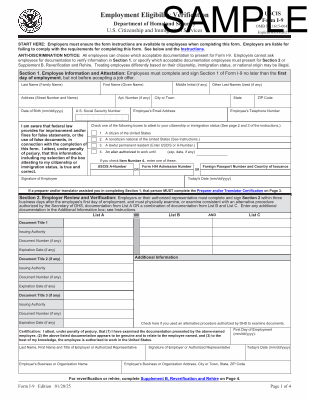
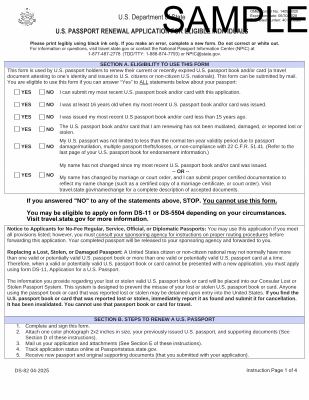
Example PDF Forms Converted into HTML
All of these examples have been converted with FormVu
AcroForm Example Conversions
Frequently asked questions
What PDF form types does FormVu support?
FormVu supports both AcroForm and XFA (XML Forms Architecture) PDF form types, covering the vast majority of PDF forms in use today.
Can FormVu submit form data as JSON?
Yes. FormVu supports submitting form data as JSON, XML, standard HTML, or PDF. JSON output is structured and ready to ingest directly into APIs, databases, or automation workflows — no extra parsing or transformation needed. This also makes it straightforward to pre-populate forms programmatically from existing data.
Can FormVu run on-premise without sending data externally?
Yes. FormVu can be self-hosted on your own servers with no external callbacks and no internet connection required. Data never leaves your network, making it suitable for GDPR-conscious and secure enterprise deployments.
Does FormVu require browser plugins or Adobe Reader?
No. FormVu converts PDF forms into standalone HTML5, which runs natively in any modern browser without plugins, Adobe Reader, or any additional software on the user’s device.
Can citizens fill in a converted form on a phone?
Yes. The output is standard HTML5, so a converted form opens in the mobile browser the citizen already has. There is nothing to download and no app to install, which removes the usual failure point where someone opens a PDF form on a phone and cannot type into it.
We still have Adobe LiveCycle XFA forms. Can FormVu handle those?
Yes. FormVu converts both AcroForm and XFA PDFs to HTML5, so LiveCycle-era forms can be published on the web without being rebuilt in a form builder. Note that the FormVuAPI submission methods currently apply to AcroForm files, so XFA conversions are for display and completion in the browser.
Does FormVu digitize scanned paper forms?
No. FormVu starts from a PDF that already contains form fields. Scanned paper needs OCR first to become a fillable PDF, and FormVu takes over from that point.
Can we keep the converted form on our own domain?
Yes. FormVu produces self-contained HTML5 that you host yourself, alongside the rest of your service. Citizens never get redirected to a third-party form host.
Developer-Focused Solution
Simple Technical Documents
FormVu is run and marketed by a group of geeks instead of sales people. We like to keep everything super simple and straightforward.
Read FormVu documentationFast Support Responses
Our support channels are monitored by our developers, so that the communications are made easily. You can get in touch with us via Discord or online support service and receive response quickly.
Contact UsAdvanced Data Processing
Developers are expected to self-host the output file and you can customize how data is submitted (e.g. as HTML form, JSON, XML, or even as a PDF). FormVu also runs without making external calls, giving you full control of your data.
Learn More