Let Patients Fill in PDF Forms in the Browser
Medical e-health made easy with FormVu

Don't Slow Down Patient Care with PDF Forms
Due to its incompatibility with HTML, PDF forms require patients to download third-party software to fill in, or print out and write down information manually.
These extra steps can cause a terrible patient experience and slow down clinical workflows, as well as complicate the data collection process.
Convert Fillable PDF Healthcare Forms into HTML Forms
FormVu is an SDK for developers to digitise medical forms and other clinical PDF forms into HTML forms
HTMLConversionOptions conversionOptions = new HTMLConversionOptions();
// Set conversion options here e.g. conversionOptions.setImageScale(1.2f);

FormViewerOptions viewerOptions = new FormViewerOptions();
// Set FormViewer options here e.g. viewerOptions.setEnableFDFJavaScript(true);

File input = new File("C:/MyDocument.pdf");
File output = new File("C:/MyOutputDirectory/");

PDFtoHTML5Converter converter = new PDFtoHTML5Converter(input, output, conversionOptions, viewerOptions);

try {
    converter.convert();
} catch (PdfException e) {
    e.printStackTrace();
}
java -Xmx512M -jar formvu.jar /inputDirectory/ /outputDirectory/
# Or add in custom settings to adjust the output to your preference
java -Dorg.jpedal.pdf2html.exampleSettingOne=<value> -Dorg.jpedal.pdf2html.exampleSettingTwo=<value> -Xmx512M -jar formvu.jar /inputDirectory/ /outputDirectory/<?php
// PHP is one of the many languages we support for the web service. Check our support pages to see the full extent
require_once __DIR__ . "/PATH/TO/vendor/autoload.php";
use IDRsolutions\IDRCloudClient;
$endpoint = "https://cloud.idrsolutions.com/cloud/" . IDRCloudClient::INPUT_FORMVU;
$parameters = array(
//'token' => 'Token', // Required only when connecting to the IDRsolutions trial and cloud subscription service
'input' => IDRCloudClient::INPUT_UPLOAD,
'file' => __DIR__ . 'path/to/file.pdf'
);
$results = IDRCloudClient::convert(array(
'endpoint' => $endpoint,
'parameters' => $parameters
));
IDRCloudClient::downloadOutput($results, __DIR__ . '/');
echo $results['downloadUrl'];What Can FormVu Help Healthcare Organizations Achieve?

Improve Patient Experience
Patients can fill out patient admission forms and other converted HTML forms on any device before their clinical appointment, no printing, no medical PDF needed.
The forms work directly in their browsers, reducing safety risks from illegible handwriting and lost paperwork.
With FormVu, healthcare organizations can improve patient safety by eliminating errors from manual form filling and removing the need for unfamiliar software or plugins.

Improve Patient Experience
More Efficient Patient Data Collection
PDF forms are not designed to be compatible with web browsers, therefore it's hard to retrieve data from it. However, patients can fill in HTML forms converted from PDF forms by FormVu, then submit to a URL.
With FormVu, healthcare organizations can streamline data handling
for patient records without needing to download, print, scan, or re-upload health reports. Collected data can feed directly into healthcare reports and medical analytics platforms.
Easier Integration with E-Health Platform
Compared to native HTML forms, PDF forms are trickier to integrate into web applications. This makes compliance with healthcare data standards significantly easier to manage.
FormVu allows healthcare organizations to integrate HTML-converted
forms into existing web workflows without rebuilding from scratch, preserving the original PDF's appearance and functionality.
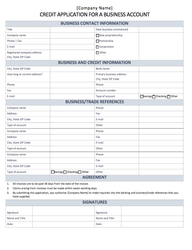
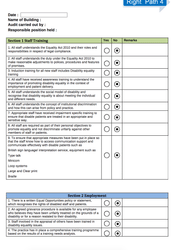
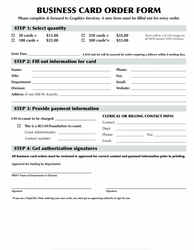
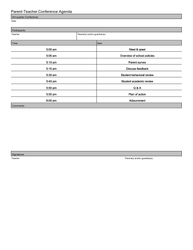
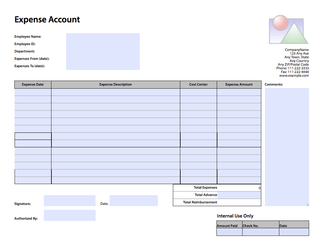
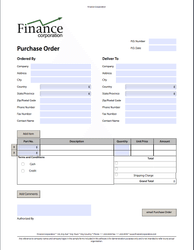
Here's an example video of how converted HTML forms work.
Developer-Focused Solution
Simple Technical Documents
FormVu is run and marketed by a group of geeks instead of sales people. We like to keep everything super simple and straightforward.
Read FormVu documentationFast Support Responses
Our support channels are monitored by our developers, so that the communications are made easily. You can get in touch with us via Discord or online support service and receive response quickly.
Contact UsAdvanced Data Processing
Developers are expected to self-host the output file and you can customize how data is submitted (e.g. as HTML form, JSON, XML, or even as a PDF). FormVu also runs without making external calls, giving you full control of your data.
Learn More