Link
Skip to main content

Manipulate files from the Viewer

v2026.04

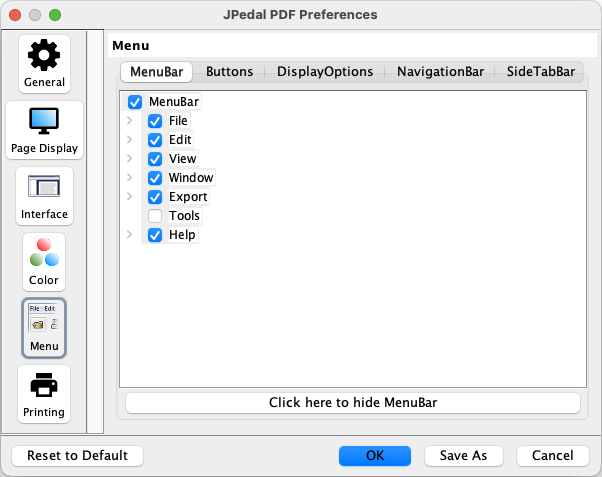
The tools menu is hidden by default, so you will need to enable it by going to Edit -> Preferences -> Menu and selecting Tools.

Viewer preferences window

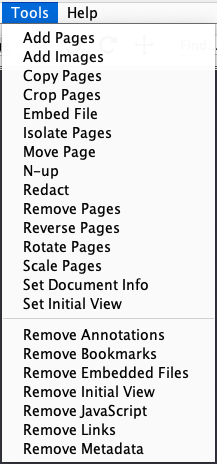
You then have a few tools to choose from:

Tools menu


Why JPedal?

  • Actively developed commercial library with full support and no third party dependencies.
  • Process PDF files up to 3x faster than alternative Java PDF libraries.
  • Simple licensing options and source code access for OEM users.

Learn more about JPedal

Start Your Free Trial


Customer Downloads

Select Download