PDF to HTML API
Convert PDF files to HTML5 or SVG programmatically in C#, Dart, Java, JavaScript, Node.js, PHP, Python and Ruby using the BuildVu REST API.
A PDF to HTML API converts PDF documents into HTML web pages over a REST endpoint, so your application can process files programmatically instead of through manual uploads. BuildVu takes a PDF, extracts its text and layout into HTML5 or SVG with real, selectable text rather than images of the page, and returns a download URL. You can call it from any language that can make an HTTP request.
BuildVu is the same conversion engine behind our free online PDF to HTML converter, exposed as an API for automated, high-volume use. If you only need to check the output quality first, run a file through the online tool before you integrate.
How does it work?
BuildVu is a Java application. We host it for you as a cloud service, or you can deploy it yourself as a web application via Docker or a Java Application Server such as Tomcat or Jetty. Either way you get a REST API that converts PDF files to HTML or SVG from any programming language.
BuildVu is available to license to run on your own servers from $4,500/year per server, or you can take out a monthly subscription from $450/month to use our cloud server with no infrastructure to manage.
How to convert a PDF to HTML using the API
- Sign up for a free trial to get your authentication token.
- Install the open-source IDRCloudClient for your language.
- Call
convertwith your token, the input type, and your PDF. The client uploads the file, waits for the conversion to finish, and returns the result. - Read the
downloadUrlfrom the result, or use the client's download helper, to save the converted HTML or SVG.
Working code for each language is shown below — pick your language, copy the example, and replace the token and file path with your own. Prefer no dependencies? You can also call the REST endpoint directly over plain HTTP: upload the file, poll until the conversion is processed, then download the result, as the cURL example shows.
using idrsolutions_csharp_client;
var client = new IDRCloudClient("https://cloud.idrsolutions.com/cloud/" + IDRCloudClient.BUILDVU);

try
{
    Dictionary<string, string> parameters = new Dictionary<string, string>
    {
        ["input"] = IDRCloudClient.UPLOAD,
        ["token"] = "YOUR_TRIAL_TOKEN", // Token provided to you via e-mail
        ["file"] = "path/to/file.pdf"
    };

    Dictionary<string, string> conversionResults = client.Convert(parameters);

    client.DownloadResult(conversionResults, "path/to/outputDir");

    Console.WriteLine("Converted: " + conversionResults["downloadUrl"]);
}
catch (Exception e)
{
    Console.WriteLine("File conversion failed: " + e.Message);
}
# 1. Upload and convert a PDF.
# The token is only needed for the IDRsolutions trial and cloud servers.
curl -X POST \
-F "input=upload" \
-F "file=@/path/to/file.pdf" \
-F "token=YOUR_TRIAL_TOKEN" \
https://cloud.idrsolutions.com/cloud/buildvu
# Response contains a uuid, e.g. {"uuid":"aaaaaaaa-aaaa-aaaa-aaaa-aaaaaaaaaaaa"}
# 2. Poll with the uuid until "state" is "processed".
curl "https://cloud.idrsolutions.com/cloud/buildvu?uuid=YOUR_UUID"
# When processed, the response contains previewUrl and downloadUrl.import 'dart:io';
import 'package:http/http.dart' as http;
import 'package:http_parser/http_parser.dart';
import 'package:path/path.dart';
import 'dart:convert' as convert;
void main() async {
final apiUrl = 'https://cloud.idrsolutions.com/cloud/buildvu';
final filePath = 'path/to/exampleFile.pdf';
final file = File(filePath);
// Prepare the request headers and form data
final request = http.MultipartRequest('POST', Uri.parse(apiUrl));
request.fields['token'] = 'YOUR_TRIAL_TOKEN'; // Token provided to you via e-mail
request.fields['input'] = 'upload';
// Add the file to the form data
final fileBytes = await file.readAsBytes();
final fileStream = http.ByteStream.fromBytes(fileBytes);
final fileLength = file.lengthSync();
final fileName = basename(filePath);
request.files.add(http.MultipartFile(
'file',
fileStream,
fileLength,
filename: fileName,
contentType: MediaType('application', 'pdf'),
));
late String uuid;
// Send the request to upload the file
try {
final response = await request.send();
if (response.statusCode != 200) {
print('Error uploading file: ${response.statusCode}');
exit(1);
}
final responseBody = await response.stream.bytesToString();
final Map<String, dynamic> responseData = convert.jsonDecode(responseBody);
uuid = responseData['uuid'];
print('File uploaded successfully!');
} catch (e) {
print('Error uploading file: $e');
exit(1);
}
// Poll until done
try {
while (true) {
final pollResponse = await http.Request('GET', Uri.parse('$apiUrl?uuid=$uuid')).send();
if (pollResponse.statusCode != 200) {
print('Error Polling: ${pollResponse.statusCode}');
exit(1);
}
final Map<String, dynamic> pollData = convert.jsonDecode(await pollResponse.stream.bytesToString());
if (pollData['state'] == "processed") {
print("Preview URL: ${pollData['previewUrl']}");
print("Download URL: ${pollData['downloadUrl']}");
break;
} else {
print("Polling: ${pollData['state']}");
}
// Wait for next poll
await Future.delayed(Duration(seconds: 1));
}
} catch (e) {
print('Error polling file: $e');
exit(1);
}
}import java.util.Map;
public final class ExampleUsage {
public static void main(final String[] args) {
final IDRCloudClient client = new IDRCloudClient("https://cloud.idrsolutions.com/cloud/" + IDRCloudClient.BUILDVU);
final HashMap<String, String> params = new HashMap<>();
params.put("token", "YOUR_TRIAL_TOKEN"); // Token provided to you via e-mail
params.put("input", IDRCloudClient.UPLOAD);
params.put("file", "path/to/file.pdf");
try {
final Map<String, String> results = client.convert(params);
System.out.println(" --------- ");
System.out.println(results.get("previewUrl"));
IDRCloudClient.downloadResults(results, "path/to/outputDir", "example");
} catch (final ClientException | InterruptedException e) {
e.printStackTrace();
}
}
}// To add the client to your project use will need to add the file idrcloudclient.js to your project and include the following line to access it:
// <script src="path/to/idrcloudclient.js" type="text/javascript"></script>
var endpoint = 'https://cloud.idrsolutions.com/cloud/' + IDRCloudClient.BUILDVU;
var parameters = {
token: 'YOUR_TRIAL_TOKEN', // Token provided to you via e-mail
input: IDRCloudClient.UPLOAD,
file: 'path/to/exampleFile.pdf'
}
function progressListener(e) {
console.log(JSON.stringify(e));
}
function failureListener(e) {
console.log(e);
console.log('Failed!');
}
function successListener(e) {
console.log(JSON.stringify(e));
console.log('Download URL: ' + e.downloadUrl);
}
IDRCloudClient.convert({
endpoint: endpoint,
parameters: parameters,
// The below are the available listeners
progress: progressListener,
success: successListener,
failure: failureListener
});var idrcloudclient = require('@idrsolutions/idrcloudclient');
idrcloudclient.convert({
endpoint: 'https://cloud.idrsolutions.com/cloud/' + idrcloudclient.BUILDVU,
parameters: {
input: idrcloudclient.UPLOAD,
file: 'path/to/file.pdf',
token: 'YOUR_TRIAL_TOKEN' // Token provided to you via e-mail
},
failure: function(e) {
console.log(e);
},
progress: function() { },
success: function(e) {
console.log('Converted ' + e.downloadUrl);
}
});<?php
require_once __DIR__ . "/PATH/TO/vendor/autoload.php";
use IDRsolutions\IDRCloudClient;
$endpoint = "https://cloud.idrsolutions.com/cloud/" . IDRCloudClient::INPUT_BUILDVU;
$parameters = array(
'token' => 'YOUR_TRIAL_TOKEN', // Token provided to you via e-mail
'input' => IDRCloudClient::INPUT_UPLOAD,
'file' => 'path/to/file.pdf'
);
$results = IDRCloudClient::convert(array(
'endpoint' => $endpoint,
'parameters' => $parameters
));
IDRCloudClient::downloadOutput($results, 'path/to/outputDir');
echo $results['downloadUrl'];from IDRSolutions import IDRCloudClient
client = IDRCloudClient('https://cloud.idrsolutions.com/cloud/' + IDRCloudClient.BUILDVU)
try:
result = client.convert(
input=IDRCloudClient.UPLOAD,
file='path/to/file.pdf',
token='YOUR_TRIAL_TOKEN' # Token provided to you via e-mail
)
outputURL = result['downloadUrl']
client.downloadResult(result, 'path/to/outputDir')
if outputURL is not None:
print("Download URL: " + outputURL)
except Exception as error:
print(error)require 'idr_cloud_client'
client = IDRCloudClient.new('https://cloud.idrsolutions.com/cloud/' + IDRCloudClient::BUILDVU)
conversion_results = client.convert(
input: IDRCloudClient::UPLOAD,
file: 'path/to/file.pdf',
token: 'YOUR_TRIAL_TOKEN' # Token provided to you via e-mail
)
client.download_result(conversion_results, 'path/to/outputDir')
puts 'Converted: ' + conversion_results['downloadUrl']These examples are enough to get a conversion running. For a full walkthrough in each language, along with every configuration option, see the BuildVu API tutorials.
Why use the BuildVu PDF to HTML API?
Real, selectable text
BuildVu extracts text from the PDF into real HTML elements, not rasterized page images. The output is searchable, indexable, and accessible to screen readers without any extra processing.
High-fidelity conversion
Handles complex PDFs including embedded fonts, multi-column layouts, tables, and annotations. The HTML output closely matches the original document layout, plus an optional JSON file with the extracted text.
Cloud or self-hosted
Use our managed cloud server, or run the Docker image on your own infrastructure so files never leave your environment.
Built on our own PDF engine, developed and supported since 1999 rather than wrapping a third-party library, BuildVu is a strong fit when you need faithful, high-volume PDF to HTML or SVG conversion as part of an automated pipeline. If you only need to display a PDF in the browser without converting it, a PDF viewer is a better fit — our Convert vs View guide explains the difference.
See the converted output
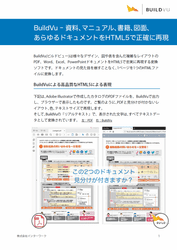
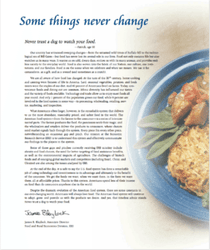
These are real documents converted by BuildVu. Open any of them and try selecting the text — it is real, selectable HTML, not an image of the page.


Supported languages and requirements
The output is static HTML5 or SVG that works in any browser without a plugin. Once converted, the original PDF is no longer required to display the content.
We provide open-source client libraries for the languages above, and any other language can call the API directly over standard HTTP. The conversion engine itself runs on Java, so on the cloud service there is nothing to install beyond the client for your language. If you self-host, you deploy the BuildVu microservice via Docker or a Java Application Server.
Conversions are asynchronous and driven by a small set of request parameters:
| Parameter | Required | Description |
|---|---|---|
input |
Yes | upload to send a file in the request, or download to have BuildVu fetch the PDF from a URL. |
file |
When input=upload |
The PDF file to convert. |
url |
When input=download |
The URL BuildVu fetches the PDF from. |
token |
Cloud/trial only | Your authentication token, provided when you start a trial. |
callbackUrl |
No | An endpoint BuildVu calls when the conversion finishes, so you do not have to poll. |
settings |
No | Conversion options as a stringified JSON object of key-value pairs. See the full list of conversion options. |
The free trial allows up to 20 conversions and stores your files for up to one hour before deletion. On the cloud service you can convert files up to 250MB, one at a time, with a limit of 500 conversions per day; self-hosted deployments are bound only by your own hardware. See the BuildVu pricing page for full plan details.
PDF to HTML API FAQs
Does the converted HTML contain real, searchable text?
Yes. BuildVu outputs HTML with real, selectable text rather than images of the page, so the content is searchable, indexable and readable by screen readers. It can also write a separate JSON file containing all the document text if you need it on its own.
Can BuildVu convert Word, PowerPoint or Excel files too?
Yes. Word, PowerPoint and Excel files are handled by first converting them to PDF with LibreOffice, which BuildVu then converts to HTML or SVG. On our cloud service and in the Docker image, which bundles LibreOffice, this happens automatically, so you send the Office file and get HTML or SVG back with no separate step on your side.
Can I convert many PDFs in one job?
Each API call converts a single document, so you call the endpoint once per file when processing in bulk. If you would rather convert a whole folder in one go, you can run BuildVu from the command line against an entire input directory instead of the API.
How is converting a PDF different from showing it in a viewer?
A PDF viewer renders the original PDF in the browser, so the PDF file is still the source. BuildVu converts the PDF into standalone HTML that any browser displays without a viewer or plugin, and the output is independent of the original file. Our Convert vs View guide covers which one suits your project.
Does the HTML output support accessibility standards like WCAG?
Converting a PDF to HTML with real text makes the content available to screen readers and assistive technology, which helps you meet requirements such as ADA, the EAA and WCAG. The HTML can then be styled and structured to fit your site's accessibility approach.
"We found BuildVu, [and the software was] recommended by the technical team who had made a prototype using the free trial."
- Philip from Learning from Humanity
Not received an email? Check your spam. Click here if you still haven't received it
"The biggest thing [for easy evaluation] was being able to have access to a trial and see if this was going to work for us. That was hugely important."
- Chris from Edward Jones